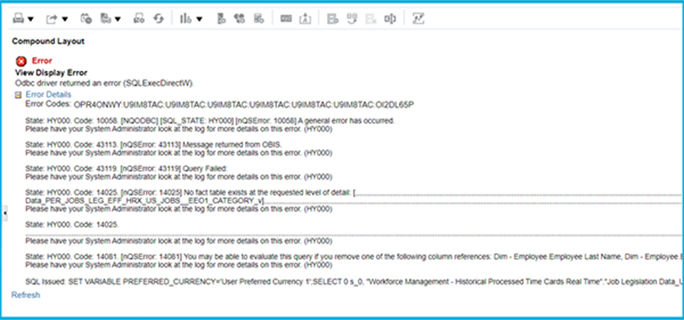
The biggest complexity appears when users ask a natural question: How do you join two subject areas in OTBI?
Combine Subject Areas in Analyses
Cross-subject reporting is one of the most sought-after capabilities in OTBI. Teams often want views that combine HCM and Payroll, GL and Subledger Accounting, Projects and Procurement, or other combinations.
OTBI supports multi-subject reporting in theory, but only when the subject areas share compatible dimensions. In practice, users frequently encounter errors because the join conditions are not automatically obvious.
Why does this generally happen? Because the fields we drag and drop are not what OTBI was expecting? And when you’re running to this error message, it is not super descriptive and doesn’t tell you what to do to fix the problem.
About Cross-Subject Area Joins
Using common dimensions
Some Oracle Fusion OTBI subject areas share global dimensions such as Ledger, Business Unit, Worker, Assignment, or Project. When two subject areas share a common dimension, OTBI can often perform a join and return a combined dataset. This is the cleanest scenario.
Using common and local dimensions
Some subject areas include dimensions that are shared plus additional local dimensions that only exist within one module. In these situations, OTBI may allow the join but may produce unexpected results or mismatched row counts if filters are not aligned.
Combining more than one result set from different subject areas
When more than two subject areas must be combined, users often need multiple result sets. OTBI attempts to merge these sets, but mismatched grain, missing join keys, or incompatible dimensions usually generate cryptic error messages. Many users report that OTBI does not clearly explain why a join fails or how to fix it.
Create a Cross-Subject Area Analysis
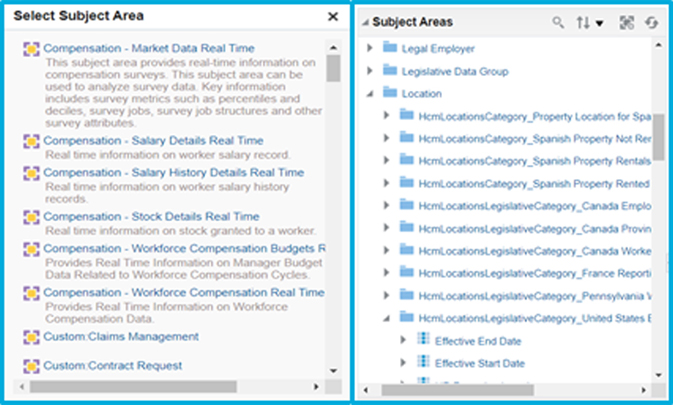
The process to join two subject areas in OTBI generally includes:
- Selecting a primary subject area.
- Adding a secondary subject area if OTBI allows it.
- Validating that both subject areas share compatible dimensions.
- Testing filters to ensure the datasets match in grain.
- Adjusting fields until the join is successful.
If compatible dimensions do not exist, OTBI returns an error. This is why cross-subject reporting is one of the top limitations users face inside the OTBI Oracle Cloud ecosystem.