

Stop Chasing Data.Start Getting Answers.
Turn business questions into usable SQL in seconds, without the back-and-forth, delays, or manual effort.
SQL Connect helps teams move from question to query faster. Instead of waiting on technical resources, rewriting SQL manually, or checking outputs across disconnected systems, users can generate usable SQL from plain English and keep reporting work moving.

Generate accurate Oracle Cloud SQL in seconds with a simple, intuitive AI interface.
Testimonials
Real Success with SQL Connect!
Watch how SQL Connect has streamlined workflows and boosted productivity for our users.
Sally Beauty
With the help of SQL Connect we can still, post our cloud journey, seamlessly be in control of underlying data to describe object details and export output results. Preferred by developers and system administrators, SQL Connect has multiple environment connections in one place and works well with both SSO and non-SSO. The product roadmap looks very promising as it includes a long list of new features and improvements.
Group Manager Enterprise IT & Operations, Three.
There are many perceived benefits to moving from an on-premise ERP application to a cloud-based SaaS equivalent but retaining access to the underlying data store is not one of them. SQL Connect overcomes those limitations and enables a return to a more productive data querying environment with a tool which enables connections to cloud databases, provides database browsing features, multiple query and result windows all typical of the products we knew and loved in those distant days prior to the advent of the cloud.
BI Reporting Lead at ITV
SQL Connect has reformed our data querying and reporting processes at Chewy. Its user-friendly interface and powerful features have significantly improved our efficiency in consolidating and reconciling data, running queries, and generating reports. It’s a game-changer for our team!
Lead Software Engineer at Chewy
When SQL Becomes the Bottleneck, Reporting Slows Down
Most teams do not struggle because they lack data. They struggle because getting the right answer takes too long.
A report needs validating before close. A leadership team needs a quick extract. A data team gets another urgent request. A business user knows the question, but not the SQL needed to answer it.
That is when delays build. Reports slow down, technical teams get pulled into repetitive query work, and outputs are manually checked, exported, reconciled, and checked again.
For many teams, SQL becomes less of an enabler and more of a dependency.
The Problem Is Not Access to Data. It Is the Gap Between the Question and the Answer.
Enterprise teams often have access to the systems they need. The real friction sits in the middle.
Someone asks a business question.
Someone else translates it into SQL.
The query is tested, corrected, rerun, exported, and validated.
That process works, but it is slow. And when reporting cycles are already tight, every extra handoff adds pressure.
SQL Connect helps close that gap.
Move from Question to Query Faster
SQL Connect allows teams to turn plain English into usable SQL, helping reduce dependency on manual query writing and speeding up how data is explored, validated, and shared.
The outcome is simple:
- Faster turnaround on reporting requests
- Less manual SQL writing and rework
- Reduced dependency on specialist resources for routine queries
- Better visibility across connected data sources
- More confidence in the outputs teams use to make decisions
Key Capabilities
Advanced Intellisense
Auto-complete functions, table names, and columns. Reduce typos and repetitive work.
SQL Minimap
Navigate large SQL scripts using a complete side-by-side overview.
Background Query Execution
Run heavy queries while continuing your work. Receive notifications when results are ready.
Multi-Pod Access
Connect to multiple Oracle Cloud pods at once. Switch between environments without losing context.
Git Integration
Compare versions, commit updates, and collaborate with your team within SQL Connect.
Data Grid and One-Click Export
View results in an interactive grid and export to CSV or Excel instantly.
How SQL Connect Works
Type what you need in plain English.
SQL Connect interprets the request and generates a usable SQL query across your connected data sources. Users can review, refine, run, and export results from one workspace.
No schema digging. No starting from scratch. No unnecessary back-and-forth.
Built for Faster, Cleaner SQL Workflows
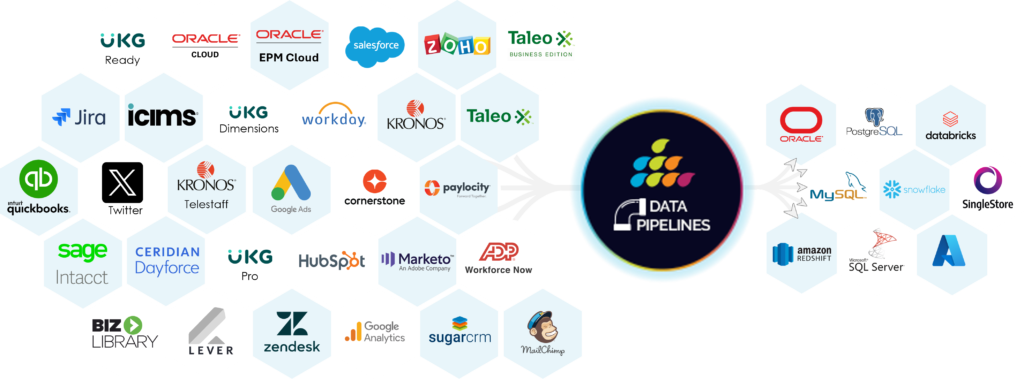
SQL Connect works across Oracle, Snowflake, Salesforce, MySQL, and more, so teams can query multiple data sources from one place.
AI-assisted SQL generation from plain English
Turn business questions into usable SQL faster, with less manual effort.
Real-time suggestions and error correction
Catch issues earlier and reduce time spent rewriting or rerunning queries.
Multi-result outputs for faster comparison
Run and compare outputs side by side without losing context.
One-click export to CSV or Excel
Move validated outputs into reporting and analysis workflows quickly.
Support Reporting Teams
Without Adding More Manual Work
SQL Connect is already being used by teams looking to:
-
Reduce manual reporting effort
-
Improve turnaround time on data requests
-
Increase confidence in reporting outputs
-
Give analysts and developers a faster way to support the business
-
Standardise query workflows across teams
Query Across the Systems Your Team Already Uses
SQL Connect works across Oracle, Snowflake, Salesforce, MySQL, and more, so teams can query multiple data sources from one place.
That means fewer tools, fewer handoffs, and a clearer path from business question to usable answer.
Ger Answers Faster,Without the SQL Bottleneck
Try SQL Connect free for 15 days. No commitment.
FAQ
Frequently Asked Questions
An AI SQL query builder for Oracle Cloud converts plain English prompts into SQL. SplashAI generates accurate Oracle SQL statements, understands schema patterns, and reduces the time spent writing or debugging queries. It helps analysts and developers run faster, cleaner SQL across ERP and HCM pods.
You type a question in plain English. SplashAI interprets your request, identifies the relevant Oracle Cloud tables and joins, and returns an accurate SQL query. The engine is trained on Oracle Cloud structures, which so it produces reliable, context-aware queries for both ERP and HCM modules.
Yes. SQL Connect helps teams reduce repetitive SQL writing, query rework, and manual data extraction. Users can generate queries faster, compare outputs, and export results into CSV or Excel, which helps improve reporting turnaround time.
No. SQL Connect supports Oracle, Snowflake, Salesforce, MySQL, and more. The landing page may speak to Oracle Cloud search intent, but the platform itself is designed for teams that need to query multiple enterprise data sources from one workspace.



I was really excited to find this tool at CloudWorld a few years ago. I use this tool every day. Coming from a database world where you could easily access the database, moving to the cloud and finding out you can’t was a big frustration. SQL Connect solved that for us!