














Real Success with SQL Connect!

I was really excited to find this tool at CloudWorld a few years ago. I use this tool every day. Coming from a database world where you could easily access the database, moving to the cloud and finding out you can’t was a big frustration. SQL Connect solved that for us!
With the help of SQL Connect we can still, post our cloud journey, seamlessly be in control of underlying data to describe object details and export output results. Preferred by developers and system administrators, SQL Connect has multiple environment connections in one place and works well with both SSO and non-SSO. The product roadmap looks very promising as it includes a long list of new features and improvements.
There are many perceived benefits to moving from an on-premise ERP application to a cloud-based SaaS equivalent but retaining access to the underlying data store is not one of them. SQL Connect overcomes those limitations and enables a return to a more productive data querying environment with a tool which enables connections to cloud databases, provides database browsing features, multiple query and result windows all typical of the products we knew and loved in those distant days prior to the advent of the cloud.
SQL Connect has reformed our data querying and reporting processes at Chewy. Its user-friendly interface and powerful features have significantly improved our efficiency in consolidating and reconciling data, running queries, and generating reports. It’s a game-changer for our team!
Query Without Constraints
Run ad hoc queries with real-time execution and immediate results. No lag, no timeouts, no tool switching.
SQL IDE Performance with Built-In Intelligence
Explore Your Data Without Guesswork
Search tables, columns, and objects across all connected data sources. Find what you need in seconds without writing exploratory queries.
Search tables, columns, and objects
Manage multiple connections in one place
Switch environments instantly
Work across dev, test, and production seamlessly
Why Teams Prefer SQL Connect
One IDE for Every Data Source
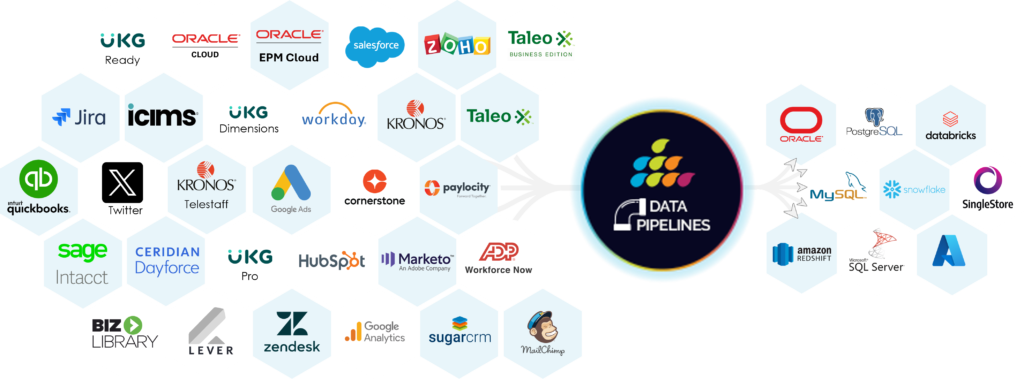
Query Oracle, Snowflake, Salesforce, MySQL, and more from a single interface.
Start Using a Better SQL Editor Today
Try SQL Connect free for 15 days.
Start Your 15-day Free Trial Today
FAQs
1. What is an Oracle Cloud SQL editor?
An Oracle Cloud SQL editor is a tool used to write and run SQL queries against Oracle Cloud data.
2. Can I run ad hoc queries on Oracle Fusion Cloud?
Yes. A SQL query tool allows you to run ad hoc queries directly on Oracle Fusion Cloud data.
3. How is this different from browser-based SQL tools?
A dedicated SQL IDE offers faster performance, better navigation, and advanced features like multi-result views and background execution.
4. Does it support Oracle ERP and HCM data?
Yes. It works across Oracle ERP and HCM datasets for reporting, analysis, and data extraction.