


Stop Rewriting SQL. Start Moving Work Forward.
Write cleaner queries, fix errors faster, and keep reporting workflows on track.
SQL Connect helps analysts, developers, and reporting teams reduce the everyday friction that comes with writing and refining SQL. Instead of spending time searching through long scripts, fixing repeated errors, or waiting for technical support, teams can work through queries faster with intelligent assistance built into their SQL workflow.

Write, refine and optimise Oracle Cloud SQL with an assistant built for speed and clarity.
Testimonials
Real Success with SQL Connect!
Watch how SQL Connect has streamlined workflows and boosted productivity for our users.
Sally Beauty
With the help of SQL Connect we can still, post our cloud journey, seamlessly be in control of underlying data to describe object details and export output results. Preferred by developers and system administrators, SQL Connect has multiple environment connections in one place and works well with both SSO and non-SSO. The product roadmap looks very promising as it includes a long list of new features and improvements.
Group Manager Enterprise IT & Operations, Three.
There are many perceived benefits to moving from an on-premise ERP application to a cloud-based SaaS equivalent but retaining access to the underlying data store is not one of them. SQL Connect overcomes those limitations and enables a return to a more productive data querying environment with a tool which enables connections to cloud databases, provides database browsing features, multiple query and result windows all typical of the products we knew and loved in those distant days prior to the advent of the cloud.
BI Reporting Lead at ITV
SQL Connect has reformed our data querying and reporting processes at Chewy. Its user-friendly interface and powerful features have significantly improved our efficiency in consolidating and reconciling data, running queries, and generating reports. It’s a game-changer for our team!
Lead Software Engineer at Chewy
When SQL Errors Slow the Team Down,
Reporting Slips
SQL work rarely fails because someone does not understand the business question.
It slows down because the query takes too long to get right.
That is when small issues start adding up. Queries are rewritten, outputs are checked again, and reporting timelines get pushed. What should have been a quick data request turns into a cycle of debugging, rerunning, and validating.
The Problem Is Not Writing SQL.
It Is Losing Time Around SQL.
Writing the query is only one part of the workflow.
Teams also need to find the right logic, avoid syntax errors, navigate long scripts, validate outputs, and make sure the result is reliable enough to use.
When every correction takes another run, every long script takes longer to review, and every error needs manual investigation, teams lose valuable time before they even reach the answer.
Write, Refine, and Validate SQL Faster
SQL Connect gives teams intelligent support inside the SQL workflow, helping users move from draft query to usable output with fewer interruptions.
Fewer failed query runs
Less time spent correcting syntax issues
Faster review of long SQL scripts
Cleaner, more consistent SQL outputs
More confidence in reporting and analysis workflows
How SQL Connect Works
Start writing your query.
SQL Connect supports the workflow with intelligent suggestions, syntax guidance, script navigation, and result management. Users can write, refine, run, compare, and export queries from one workspace.
Discover how intelligent SQL assistance improves accuracy and reduces rework for UK teams.
Built for Cleaner, Faster SQL Workflows
SQL Connect keeps the experience familiar, but gives users practical support where SQL work usually slows down.
Intelligent suggestions while typing
Get context-aware support as you write, so queries come together faster.
Syntax refinement and error guidance
Catch potential issues earlier and spend less time fixing failed runs.
SQL minimap for large scripts
Navigate long SQL files quickly without scrolling line by line.
Multi-result tabs for comparison
Compare outputs side by side to validate results faster.
One-click export to CSV or Excel
Move query outputs into reporting and analysis workflows without manual effort.
Support Teams
Without Adding More Review Cycles
Improve the quality and speed of your everyday SQL work.
Teams use SQL Connect to:
Reduce time spent debugging queries
Improve confidence in SQL outputs
Help analysts and developers work faster
Standardise query workflows across users
Reduce dependency on manual review for routine SQL tasks
Query Across the Systems Your Team Uses
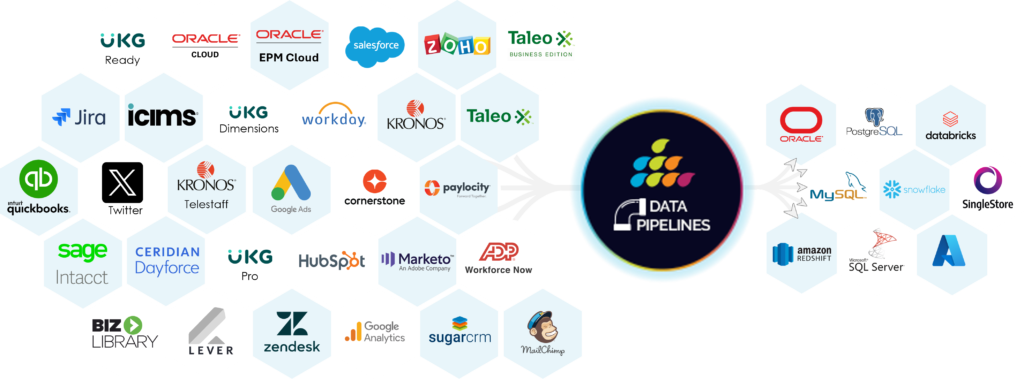
SQL Connect works across Oracle, Snowflake, Salesforce, MySQL, and more, so teams can apply cleaner SQL workflows across multiple data sources from one place.
That means fewer disconnected tools, fewer repeated steps, and a more reliable route from query to output.
Write Cleaner SQL, Without Slowing Yourself Down
Try SQL Connect free for 15 days.
FAQ
Smart SQL Query Assistant
A SQL AI assistant for Oracle Cloud helps users write, refine, and improve SQL queries with intelligent suggestions and error guidance. SQL Connect supports users as they build queries, review logic, correct issues, and move towards usable outputs faster.
Yes. SQL Connect helps reduce SQL errors through intelligent suggestions, syntax support, and workflow tools that make queries easier to review and refine. This helps teams avoid repeated failed runs and reduce time spent on manual corrections.
Yes. SQL Connect can support Oracle Fusion Cloud query workflows, while also working across other enterprise data sources. It helps teams write, run, compare, and export SQL outputs from one workspace.
Yes. SQL Connect helps less technical users work more confidently by providing support while they write and refine queries. It also helps experienced users move faster by reducing repetitive corrections and improving navigation across large SQL scripts.
Yes. By reducing query rework, improving output validation, and enabling faster exports, SQL Connect helps reporting teams move from SQL draft to usable result with fewer delays.



I was really excited to find this tool at CloudWorld a few years ago. I use this tool every day. Coming from a database world where you could easily access the database, moving to the cloud and finding out you can’t was a big frustration. SQL Connect solved that for us!