
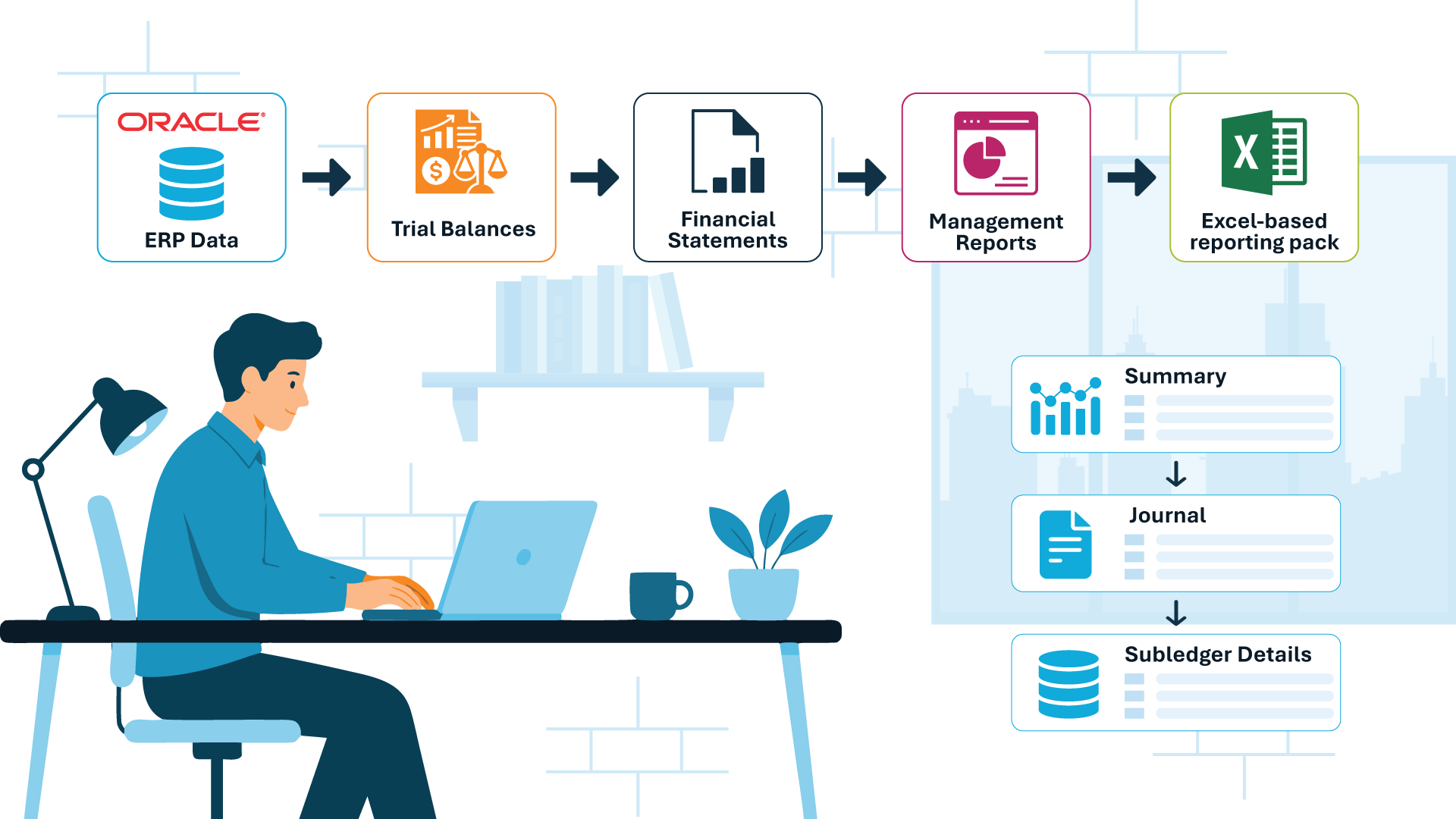
Financial reporting software connects general-ledger and subledger data to controlled outputs such as trial balances, financial statements, reconciliations, management reports, and board packs. The right platform refreshes reports from governed ERP data, preserves drilldown to supporting transactions, and reduces the exports, workbook rebuilding, and version confusion that slow financial close.
For finance teams, the challenge is not simply finding software that produces charts. It is finding a reporting layer that can preserve accounting structures, explain every reported balance, support the close, and deliver information in the format decision-makers need.
What Is Financial Reporting Software?
Financial reporting software helps organizations prepare, analyze, validate, and distribute financial information. It normally sits above an ERP, accounting application, consolidation system, or governed financial data model.
Common outputs include:
- Trial balances
- Income statements
- Balance sheets
- Cash flow statements
- General-ledger and journal reports
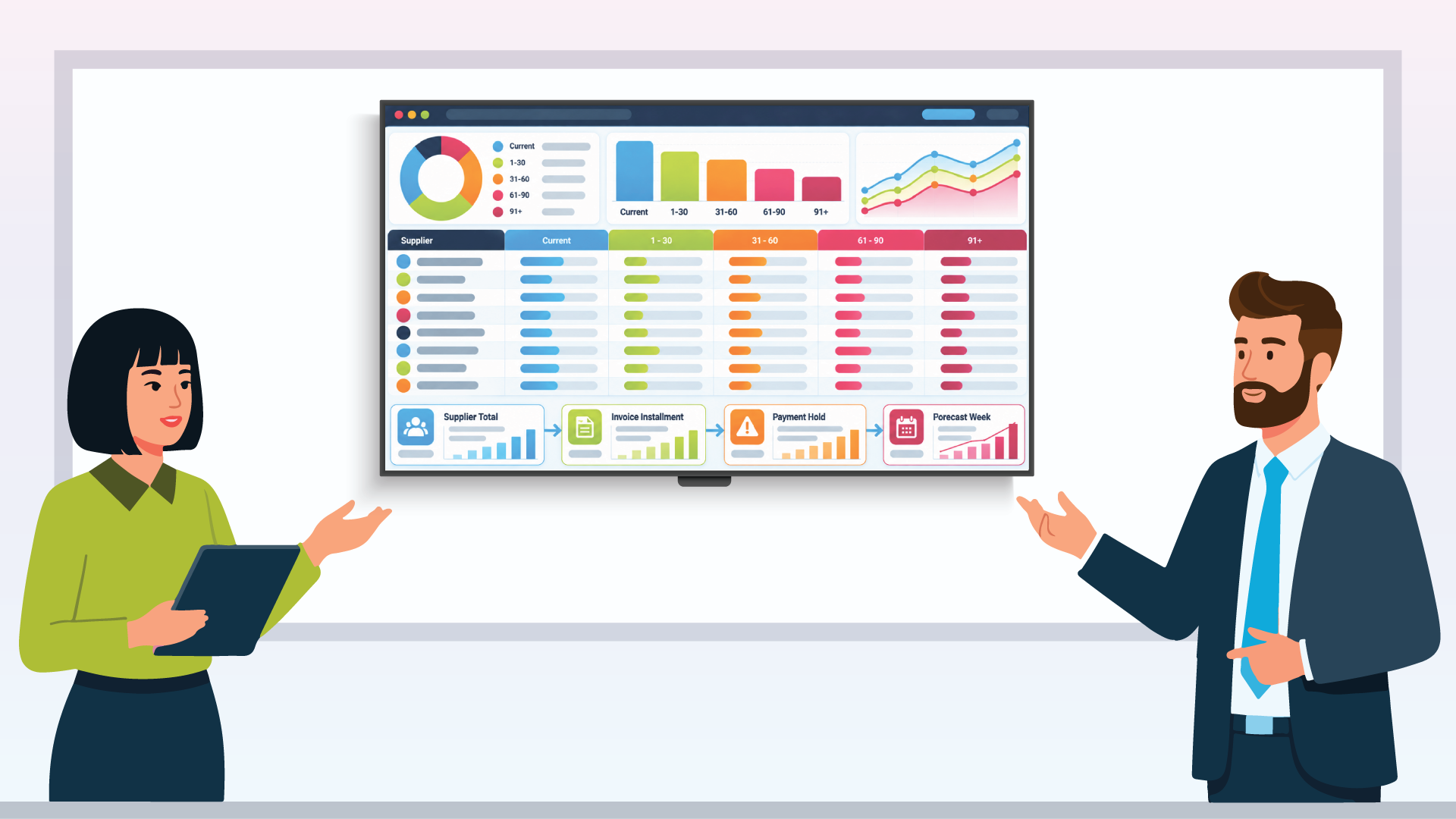
- Accounts payable and receivable aging
- Budget-versus-actual reports
- Reconciliation reports
- Multi-entity management packs
- Board and executive reports
The software should do more than display a final number. A Controller reviewing an operating-expense variance may need to move from the P&L to an account balance, journal entry, subledger transaction, and source invoice.
That traceability distinguishes finance-grade reporting from a spreadsheet containing copied values or a dashboard that only displays summarized KPIs.
Financial reporting software is also different from the accounting system itself. The ERP records and processes transactions. The reporting layer organizes those transactions into views that people can review, investigate, and distribute.
For a broader explanation of the underlying reporting environment, read What Is a Financial Data Analysis and Reporting System?.
What Types of Financial Reporting Software Are There?
Financial reporting software is not one uniform category. Buyers should identify the job they need the software to perform before comparing vendors.
| Software Category | Primary Purpose | Typical Outputs |
|---|---|---|
| ERP financial reporting | Report directly from general-ledger and subledger data | Trial balance, P&L, balance sheet, journal and transaction detail |
| Financial consolidation and reporting software | Combine entities, manage eliminations, and translate currencies | Consolidated financial statements and multi-entity reports |
| Close-management software | Coordinate close tasks, reconciliations, approvals, and evidence | Close calendars, status dashboards, sign-offs, and exception lists |
| FP&A and performance-management software | Support planning, budgeting, forecasting, and management analysis | Budgets, forecasts, scenarios, and variance reports |
| Narrative and disclosure reporting | Connect financial values with commentary and regulatory documents | Annual reports, board packs, statutory reports, and XBRL filings |
| Business intelligence software | Analyze trends across financial and operational domains | Dashboards, visualizations, and KPI analysis |
These categories can overlap, but they are not interchangeable.
A close-management platform may show whether a reconciliation is complete without generating the detailed trial balance behind it. A disclosure platform may manage commentary and XBRL while relying on another system for GL and subledger reporting. A BI dashboard can visualize margin trends without providing the accounting drill path required to validate them.
Some organizations therefore use a connected finance stack rather than expecting one product to perform every reporting, planning, consolidation, workflow, and disclosure function.
Which Financial Reporting Software Capabilities Matter Most?
The essential capabilities depend on the reporting environment, but enterprise finance teams should evaluate the following areas.
| Capability | What to Evaluate | Why It Matters |
|---|---|---|
| ERP connectivity | Supported systems, modules, versions, ledgers, and data-access methods | A generic connector may not provide sufficient accounting depth |
| Data freshness | Real-time, near real-time, scheduled, or batch access | Close decisions depend on knowing how current the report is |
| Financial statements | P&L, balance sheet, cash flow, trial balance, and custom layouts | Standard reports must reflect the organization’s account structures |
| Drilldown | Balance-to-journal, subledger, and source-transaction paths | Reviewers need to explain and validate reported totals |
| Multi-entity reporting | Ledgers, legal entities, currencies, hierarchies, and eliminations | Enterprise reporting rarely stops at one entity |
| Excel integration | Refresh, formatting, formulas, templates, and controlled sharing | Finance teams frequently need reporting flexibility inside Excel |
| Automation | Scheduling, bursting, refresh, and distribution | Repeated manual reporting creates delays and version confusion |
| Governance | Permissions, ownership, audit trails, and approved definitions | Financial reports contain sensitive and decision-critical information |
| Performance | Response time with realistic data volumes and concurrent users | A connection has little value if reports become unusable during close |
| Change management | Versioning, testing, quarterly updates, and hierarchy changes | Financial reports must remain controlled as the ERP and business evolve |
Modernization does not necessarily mean replacing Excel. It can mean replacing static exports with a governed connection between Excel and the ERP.
How Does Financial Reporting Software Support Month-End Close?
Financial reporting software supports close by giving finance teams timely reports for completeness checks, reconciliation, adjustment, review, and distribution.
The exact close calendar varies by organization, but an eight-day process might look like this:
| Close Day | Control Question | Typical Reports | Reporting Approach |
|---|---|---|---|
| Day 1 | Have interfaces and transaction feeds completed? | Posting status, pending journals, subledger close exceptions | Usually standard or pre-built |
| Day 2 | Are AP, AR, cash, assets, and expenses complete? | AP aging, AR aging, cash balances, asset activity | Usually standard or pre-built |
| Day 3 | Do subledgers reconcile with the GL? | Trial balance, account analysis, GL-to-subledger reconciliation | Standard reports with configured rules |
| Day 4 | Which adjustments remain? | Journal detail, accruals, manual journals, and reclassifications | Standard detail with organization-specific filters |
| Day 5 | Are the financial statements ready for review? | P&L, balance sheet, cash flow, and budget-versus-actual | Templates with configured hierarchies |
| Day 6 | Are entity, currency, and intercompany views aligned? | Multi-ledger, currency, and intercompany reports | Configured reporting plus consolidation processes |
| Day 7 | Can leadership understand the result? | Variance analysis, management pack, and board report | Primarily customized |
| Day 8 | Can reports be distributed and supported? | Final packs, audit evidence, and scheduled outputs | Automated distribution with access controls |
“Pre-built” does not mean ready to publish without validation. Reports must still be aligned with the chart of accounts, accounting calendar, ledger structure, currencies, entity hierarchy, and reporting policies.
The most useful platforms also preserve the relationship between close outputs. A reviewer should be able to move from a reported variance to the accounting activity that caused it without initiating another export cycle.
Explore how SplashBI supports month-end close reporting across Oracle financial data.
How Do Oracle and SAP Reporting Architectures Differ?
Oracle and SAP both support enterprise financial reporting, but their data structures, reporting services, and supported access methods differ.
| ERP Environment | Common Financial Reporting Sources |
|---|---|
| Oracle E-Business Suite | GL balances, journal headers and lines, Subledger Accounting, Financial Statement Generator reports, AP invoices, AR transactions, payment schedules, assets, and cash records |
| Oracle Fusion Cloud ERP | GL balances cube, Financial Reporting Center, Smart View, OTBI subject areas, Oracle Analytics Publisher, journals, and subledger accounting detail |
| SAP ECC | FI document headers and line items, classic or New GL balances, customer and supplier open items, and CO objects |
| SAP S/4HANA | Universal Journal entries, analytical CDS views, Fiori applications, AP and AR aging, asset accounting, and group-reporting structures |
In Oracle Fusion, supported cloud reporting interfaces replace the direct database access commonly available in EBS. That architectural difference matters when evaluating data freshness, custom reporting, performance, and drilldown.
SAP S/4HANA centers financial and controlling transactions in the Universal Journal. SAP describes it as the book of original entry for FI and CO transactions, with analytical views providing access to journal-entry details. SAP Universal Journal documentation
A product that advertises “Oracle and SAP connectivity” should therefore be tested against specific versions, modules, source objects, security models, and drill paths. A high-level ERP connector does not automatically provide finance-grade reporting depth.
Oracle Native Reporting vs. a Dedicated Reporting Layer
Oracle provides several native tools rather than one reporting experience for every financial requirement.
The Financial Reporting Center provides access to seven report types, including Financial Reporting Web Studio, Smart View, OTBI analyses and dashboards, Oracle Analytics Publisher reports, and mobile reporting. Oracle recommends different tools for financial statements, multidimensional analysis, operational reporting, and other needs. Oracle Financial Reporting Center documentation
| Oracle Tool | Strongest Use |
|---|---|
| Financial Reporting Web Studio | Formatted financial statements using GL balance cubes |
| Smart View | Multidimensional spreadsheet analysis |
| OTBI | Transactional analysis through governed subject areas |
| Oracle Analytics Publisher | High-volume, formatted operational reports |
| Financial Reporting Center | Central access to multiple Oracle report types |
Native tools may be sufficient when reporting needs are standardized and teams have the skills to administer each reporting route.
A dedicated reporting layer becomes valuable when finance wants:
- One reporting experience across EBS, Fusion, and EPM
- Consistent Excel-based report design
- Direct drilldown across accounting levels
- Reusable custom hierarchies
- Automated refresh and distribution
- Less dependence on separate specialist reporting tools
- A controlled transition from EBS to Fusion
Read this guide to Oracle Fusion reporting tools for a more detailed comparison of native and third-party approaches.
What Is the Best Financial Reporting Software?
The best financial reporting software depends on the primary reporting job, source systems, close process, and required output.
| Product or Software Family | Best Fit | Primary Strength |
|---|---|---|
| GL Connect | Oracle EBS, Fusion Cloud ERP, and Cloud EPM reporting | Excel-native financial statements, refresh, drilldown, and distribution |
| Oracle native reporting tools | Organizations standardizing on Oracle’s built-in reporting stack | Native access through Financial Reporting Center, Smart View, OTBI, and Publisher |
| Insightsoftware products | Organizations evaluating spreadsheet-based reporting across supported ERP platforms | Portfolio of Excel-integrated finance reporting products |
| Workiva | Narrative reporting, connected documents, disclosure, and XBRL | Collaboration, linked values, document control, and regulatory reporting |
| FloQast | Financial-close coordination and reconciliation workflow | Task management, close status, evidence, and process standardization |
Workiva focuses heavily on connected documents, narratives, disclosures, controls, and regulatory reporting. Workiva’s financial reporting platform also supports XBRL and external filing workflows.
FloQast’s close-management platform is designed to centralize and standardize period-end close processes. It is therefore more directly comparable with close-management software than with a dedicated GL reporting layer.
For finance teams focused specifically on Oracle financial reporting, GL Connect is the strongest fit in this group. It addresses the path from Oracle data to financial statements, Excel analysis, journal and subledger investigation, and controlled report distribution.
For a more direct Oracle-focused vendor comparison, read Best Financial Reporting Software for Oracle Compared for 2026.
Why Is GL Connect the Best Fit for Oracle Financial Reporting?
GL Connect is purpose-built for advanced financial reporting across Oracle EBS, Fusion Cloud ERP, and Cloud EPM directly in Excel.
It is especially relevant when finance teams want to preserve Excel’s formatting and analytical flexibility without relying on static ERP exports.
| Oracle Reporting Requirement | How GL Connect Supports It |
|---|---|
| EBS and Fusion reporting | Supports Oracle EBS and Fusion Cloud ERP from one reporting environment |
| Data freshness | Provides real-time EBS reporting and direct, near real-time Fusion reporting |
| Financial statements | Supports customized financial reports designed within Excel |
| Investigation | Drills from GL balances to journal and subledger detail |
| Hybrid reporting | Supports organizations running EBS, Fusion, and Cloud EPM together |
| Planning context | Brings actuals, budgets, and forecasts into an Excel-native view through Cloud EPM |
| Organizational reporting | Supports custom hierarchies and reporting across ledgers |
| Distribution | Automates report scheduling, bursting, and sharing |
| Finance ownership | Enables finance users to build, refresh, and investigate reports without an IT request for every change |
The drill path is particularly important:
Financial statement → GL balance → journal detail → subledger transaction → source record
With disconnected reporting, each stage can require another application, export, or request. GL Connect keeps that investigation inside the finance reporting workflow. SplashBI documents balance, journal, and subledger drilldown within Excel.
GL Connect also addresses hybrid Oracle environments. A company may operate established entities on EBS, migrate selected units to Fusion Cloud, and manage plans in Cloud EPM. A common Excel-based reporting layer can reduce the need to maintain separate reporting processes for each environment.
Security and governance remain essential. SplashBI documents role-aware access, session audit trails, controlled distribution, report bursting, and governed drill paths within its broader finance analytics solution.
GL Connect does not replace Oracle as the accounting system of record. It also does not claim to replace every consolidation, close-management, planning, or regulatory-disclosure application. Its strength is more specific: giving Oracle finance teams a connected, controlled, and highly usable reporting layer inside Excel.
How Should Finance Teams Evaluate Financial Reporting Software?
Evaluate financial reporting software using real reports and close scenarios rather than a generic feature demonstration.
Ask each vendor to:
- Recreate one existing financial statement.
- Refresh it against a realistic transaction volume.
- Drill from a summarized balance to journal and source detail.
- Run the same report across multiple entities or ledgers.
- Apply the organization’s account and management hierarchies.
- Demonstrate row-level, role-based, and report-distribution security.
- Show how reports are scheduled, burst, and version-controlled.
- Explain how the product handles ERP updates and source changes.
- Distinguish real-time, near real-time, and batch data access.
- Identify which requirements are pre-built, configured, or custom.
The evaluation should also confirm who owns report development after implementation. Software that technically supports a report but requires specialist intervention for every layout, hierarchy, or drill change may preserve the same reporting bottleneck in a different form.
Build a Reporting Layer That Fits the Finance Job
The right financial reporting software does not simply produce more reports. It connects financial statements with governed data, gives reviewers a path to supporting transactions, and makes recurring outputs easier to refresh, investigate, and distribute.
For Oracle finance teams working across EBS, Fusion Cloud ERP, and Cloud EPM, GL Connect provides that reporting layer inside the Excel environment they already use.

The SplashBI Editorial team covers enterprise analytics, AI-driven decision-making, and the future of Finance and HR intelligence.
Frequently Asked Questions
What is financial reporting software?
Financial reporting software transforms accounting and financial data into controlled reports such as trial balances, income statements, balance sheets, cash flow statements, reconciliations, and management packs. It may connect directly to an ERP or use a governed financial data model.
What is the difference between financial reporting software and accounting software?
Accounting software records and processes transactions such as invoices, payments, journals, and asset movements. Financial reporting software organizes those transactions into statements, analyses, reconciliations, and management reports. An ERP may include both capabilities, but organizations often add a specialized reporting layer.
What is the best financial reporting software for Oracle?
GL Connect is the best fit for Oracle EBS, Fusion Cloud ERP, and Cloud EPM teams that need Excel-native financial statements, refreshable reports, multi-level drilldown, custom hierarchies, and automated distribution. Organizations focused primarily on disclosure, consolidation, or close-task management may require additional software.
Is Excel a financial reporting tool?
Excel can format, calculate, and analyze financial information, but a disconnected workbook is not a complete financial reporting system. When Excel is connected to governed ERP data with permissions, refresh controls, reusable definitions, and drilldown, it can serve as an effective financial reporting interface.
Does financial reporting software replace consolidation software?
Not necessarily. Financial reporting software creates statements, analyses, and reporting outputs. Consolidation software manages processes such as intercompany elimination, ownership calculations, currency translation, and consolidated accounting. Some products support both areas, while others connect to a separate consolidation or EPM platform.
Can one reporting tool support Oracle EBS and Fusion Cloud?
Yes, if the product is designed for both architectures. Buyers should verify the supported modules, data-access methods, drilldown, security, and expected latency for each system. GL Connect supports EBS and Fusion Cloud ERP, as well as reporting from Oracle Cloud EPM.